
Building Pretty Things
AI for UI Meetup

Today’s AI Study Group meetup (organised by Kaushal and Mansi) was all about one thing: making our projects look prettier. And honestly? It was way too much fun.
I’d been wanting to redesign our AI Study Group website for a while. The old one was pretty plain with lots of empty space, so this seemed like the perfect project to tackle.
The Journey Through Tools
I started with Gemini Canvas and Google AI Studio. Both gave decent results—definitely better than last week before the launch of Gemini 3.0. I tried Google’s new Antigravity app too, but it threw errors, so I moved on.
The Replit Revelation
Then I switched to Replit and explored their new tool called Design.
First, I used markdown extraction button to extract the content from our old website (https://ai-study-group.pla.sh/). That bookmark has seriously reduced so much friction in my workflow. You can read about the markdown tool here
I asked Replit to make it better. The output was... okayish.
Then I tried: “Think from a user perspective, redesign completely, from scratch. You have full freedom.”
I was shocked.
It didn’t just redesign the layout—it changed the text, the complete tone, everything. The design was vibrant and pretty, somewhat similar to Gumroad’s style. More than the website design itself, I was astonished by how it transformed the messaging.

Adding the Fun Stuff
There was a small robot on the top. Someone in the community asked me to remove its background, and I thought, “Replit Agent probably can’t edit images... but what if I add a finger-following robot from 21st.dev instead?” I’d been wanting to try those animated components anyway. I found a cute robot component and added it.
While working on it, I noticed a “made with spline” copyright line. Tried to remove it, failed, then got curious and checked out Spline.design. Found even more animated components there!
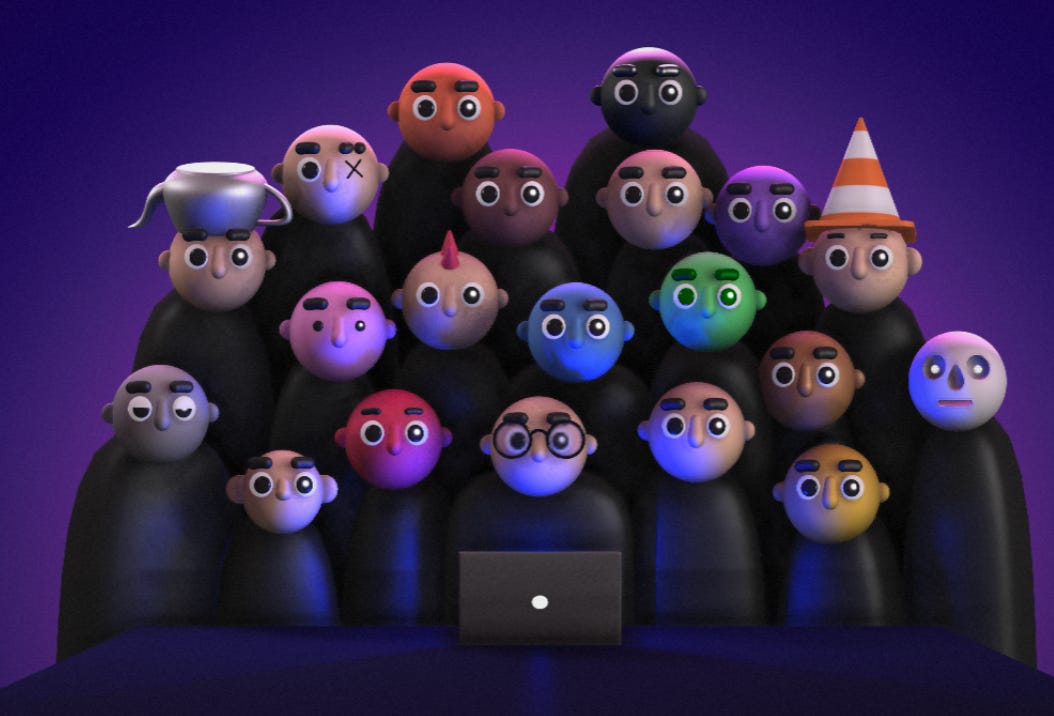
I picked one where a bunch of people were staring at a laptop—which perfectly captured the showcase vibe of our AI Study Group meetups.
The Problem-Solving Dance
Adding the Spline component hit some errors. So I isolated it—built it in a separate app first, got it working through a few iterations, then downloaded that file and integrated it into the main code.
Classic Polya approach: gather context, define the task, build in small steps, isolate components, fix them, then integrate.
Deployment time came and... stuck again. Some error I couldn’t figure out. Asked Kaushal, how do I do this? and he jumped in to help. Got it working quickly.
Reflections
Although most of this was done with single-shot prompts and vibe coding in Replit, Polya’s philosophy really helped keep things organized.
The speed and quality of design prototyping these days is genuinely amazing. Of course, it still needs manual review and tweaking, but for fun projects and rapid prototyping? This is incredible.
What strikes me most is how these tools democratize design in a way that feels genuinely different. As someone without formal design training, I could go from ‘this looks plain’ to ‘this looks so cool!’ in an afternoon. The bottleneck isn’t taste or vision anymore—it’s just knowing these tools exist and being willing to experiment.
Check out the result - website made in replit
Shoutout to the Community
One of the best parts of today? The community. When I hit network issues at the start, someone confirmed it wasn’t just me. When deployment broke, someone jumped in to help troubleshoot. When I needed feedback, someone was there to offer their opinion. This kind of collaborative problem-solving is what makes these meetups so valuable.

What Everyone Else Built
While I was wrestling with website redesigns, the room was buzzing with other projects. Here’s what people shipped in that same afternoon:
The Practical Tools
Lawyer Diary App - A case tracking system for legal professionals
Society Security System - Resident management for housing societies
Restaurant B2B Ordering Platform - Wholesale ordering app for cafes and restaurants
Aidio - Audio annotation tool with transcripts and timestamps
The Creative Explorations
Yoga Teacher Marketing Site (YaaS) - Built in three different tools (Claude, Gemini, AI Studio) to compare design outputs
Health & Fitness Website - Also tested across multiple platforms to see which produced the best aesthetic
Technical Writer’s Portfolio - Professional showcase site
Nap Cloud - A whimsical project (the name says it all)
Tool Comparison
Several people weren’t just building—they were testing. They built the same project across Claude, Gemini, ChatGPT, and other tools to compare outputs. This kind of hands-on experimentation is exactly what these meetups are about.
Your Turn
If you’re curious about any of these tools—Gemini Canvas, Replit Design, 21st.dev components, Spline animations—I highly recommend just diving in and experimenting. The barrier to making something pretty is lower than ever.
And if you’re building something (or have built something) using AI design tools, I’d love to see it! Share what you’re working on, or come to our next meetup and show us what you’ve created.
Until next time, happy building! ✨
Reference:
Additional reflections by Gemini:
YOLO Mode The standout insight here is that surrendering control (”full freedom”) to the AI yielded better results than rigid instruction. It led to unexpected transformation of tone/messaging, not just layout.
Tone is Part of Design: Replit changing the text and voice alongside the layout validates that design is holistic. “Pretty” isn’t just CSS; it’s how the copy hits the user.
Composition over Coding: The stack described (Markdown extractor → Replit → 21st.dev components → Spline assets) shows development shifting toward curation. You aren’t writing the button code; you are selecting the best button component and wiring it up.
Engineering Fundamentals Persist: The “Polya approach” section is the reality check. “Vibe coding” is fast, but when third-party integrations (like Spline) break, you still need standard isolation and debugging techniques to fix them. AI generates the pieces, but logic is required to glue them together.